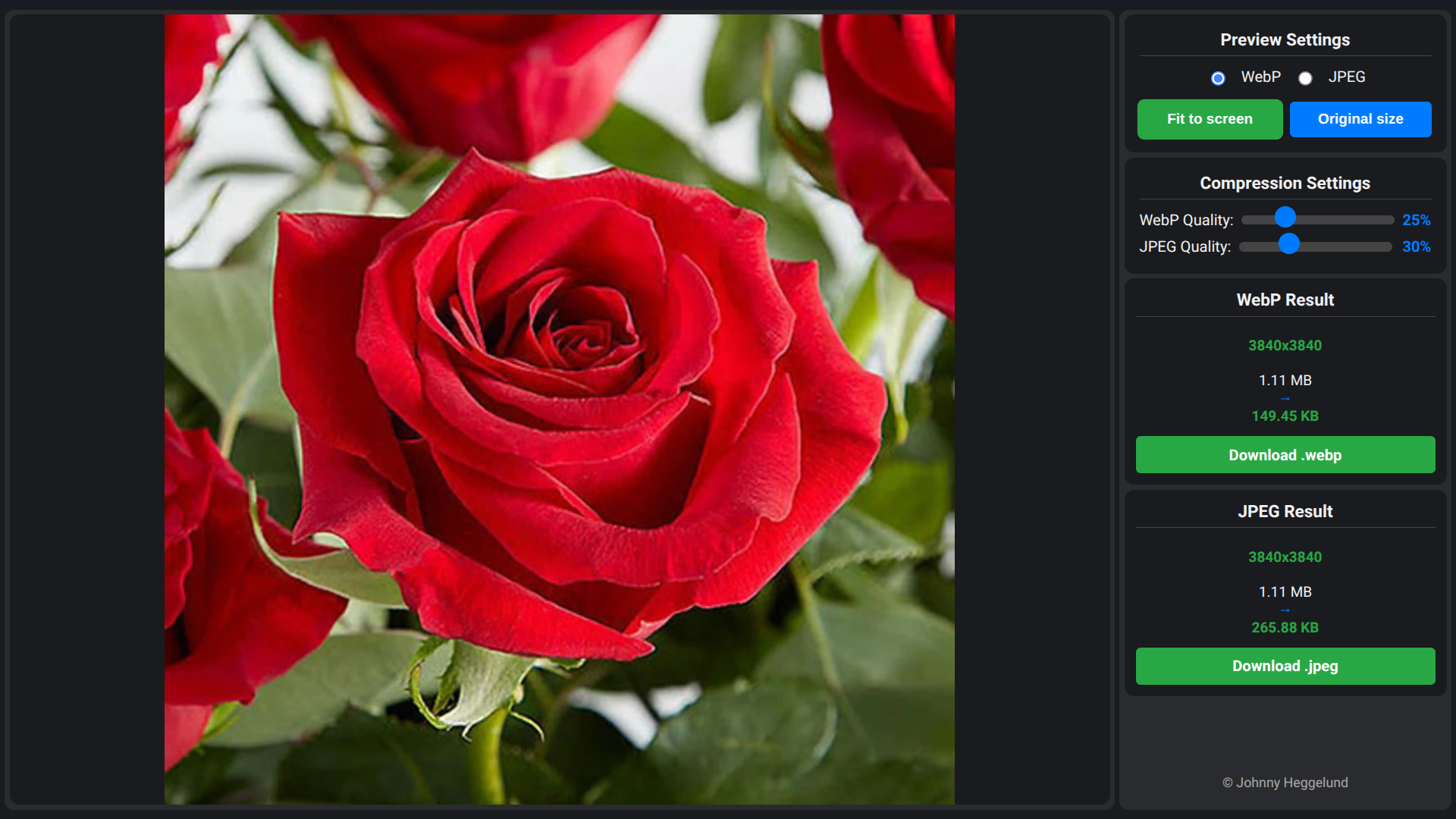
Image Compression Tool
Coded in Single Scoop Web Code Editor 🤓
The Image Compression Tool is a specialized utility built to streamline the optimization of visual assets for the web, focusing on the balance between file size and visual fidelity. Unlike standard converters that simply save a file, this application provides a dual-format workflow that generates both a modern WebP version and a traditional JPEG version simultaneously from a single source. This approach allows developers and designers to immediately compare the efficiency of different formats, making it easier to decide which file type offers the best performance for a specific use case . The tool runs entirely within the browser using local processing power, ensuring that sensitive photos or proprietary design assets are never uploaded to an external server.
Input flexibility is a core design principle of the interface. Users can load images via a standard file dialog, drag and drop files directly onto the canvas, or utilize the convenient clipboard integration to paste images directly from other software using keyboard shortcuts. Once an image is loaded, the application presents two independent quality sliders. These controls offer granular command over the compression algorithms, allowing for real-time adjustments. As the sliders are moved, the tool instantly recalculates the projected file size, providing immediate data on how much space is being saved compared to the original master file .
To ensure that aggressive compression does not ruin the visual impact of the image, the tool includes a robust inspection mode. Users can toggle the preview viewport between "Fit to Screen" for a general overview and "Original Size" to inspect the image at 100% scale. This pixel-level view is critical for spotting compression artifacts, such as banding or blockiness, that might occur at lower quality settings. By toggling between the WebP and JPEG previews, users can visually verify which format retains better detail at similar file sizes. Once the ideal balance is found, dedicated download buttons allow for the immediate export of the optimized files, ready for production deployment.
Development log
- JPEG now saved as .jpg16 days ago
- Added buttons "Fit to screen" and "Original size"26 days ago